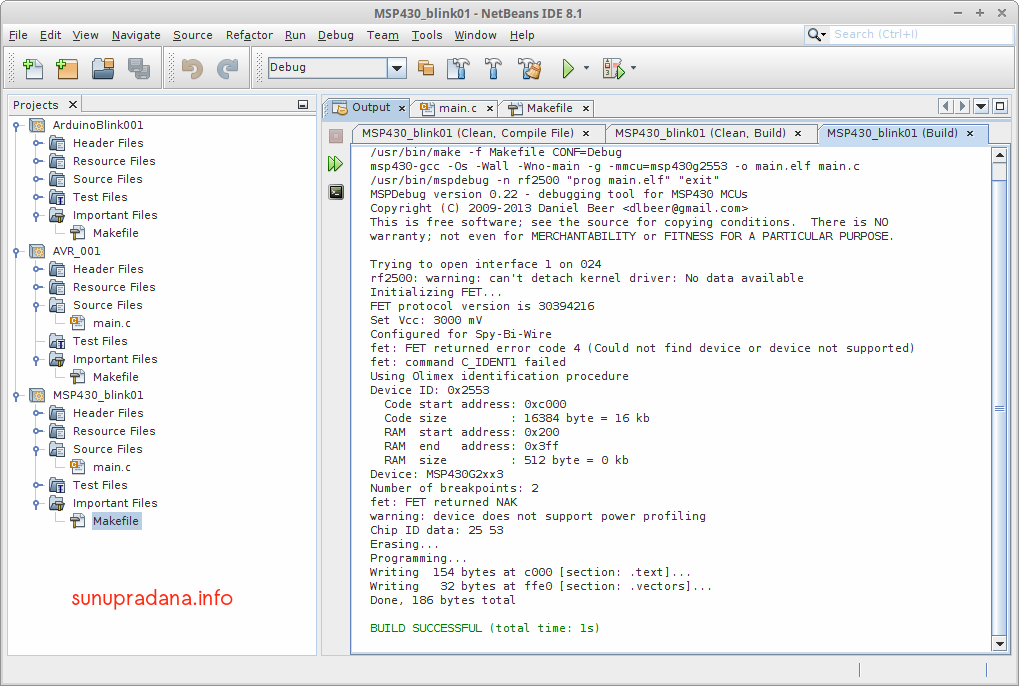
Catatan konfigurasi Makefile untuk IDE Netbeans. Artikel mengenai penggunaan Netbeans akan dibuat terpisah [link].
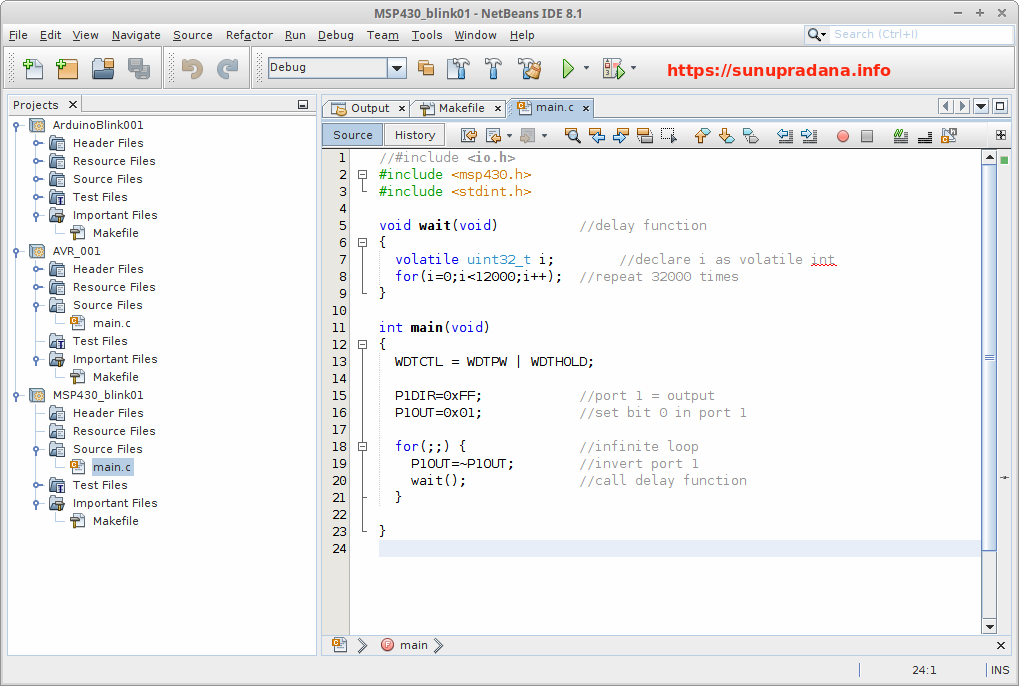
Sebelum sampai ke bagian contoh beberapa modifikasi konfigurasi file makefile, berikut contoh kode yang dipakai untuk menguji toolchain, makefile, dan IDE Netbeans.
Modifikasi dari sumber aslinya untuk IDE Netbeans.
//#include <io.h>
#include <msp430.h>
#include <stdint.h>
void wait(void)          //delay function
{
  volatile uint32_t i;   //declare i as volatile unsigned int 32
  for(i=0;i<12000;i++);  //repeat n times
}
int main(void)
{
  WDTCTL = WDTPW | WDTHOLD;
  P1DIR=0xFF;            //port 1 = output
  P1OUT=0x01;            //set bit 0 in port 1
  for(;;) {              //infinite loop
    P1OUT=~P1OUT;        //invert port 1
    wait();              //call delay function
  }
}
Konfigurasi yang pertama adalah yang paling singkat dimodifikasi dari sumber ini untuk IDE Netbeans (μC MSP430G2553).
TARGET=main
MCU=msp430g2553
CC=msp430-gcc
CFLAGS=-Os -Wall -Wno-main -g -mmcu=$(MCU)
all: $(TARGET).elf
%.elf: %.c
	$(CC) $(CFLAGS) -o $@ $<
	/usr/bin/mspdebug -n rf2500 "prog $(TARGET).elf" "exit"
flash: $(TARGET).elf
	/usr/bin/mspdebug rf2500 "prog $(TARGET).elf"
erase: $(TARGET).elf
	/usr/bin/mspdebug rf2500 "erase"
clean:
	rm -fr *.o *.elf
Sumber contoh lain yang serupa dapat diakses lewat link ini.
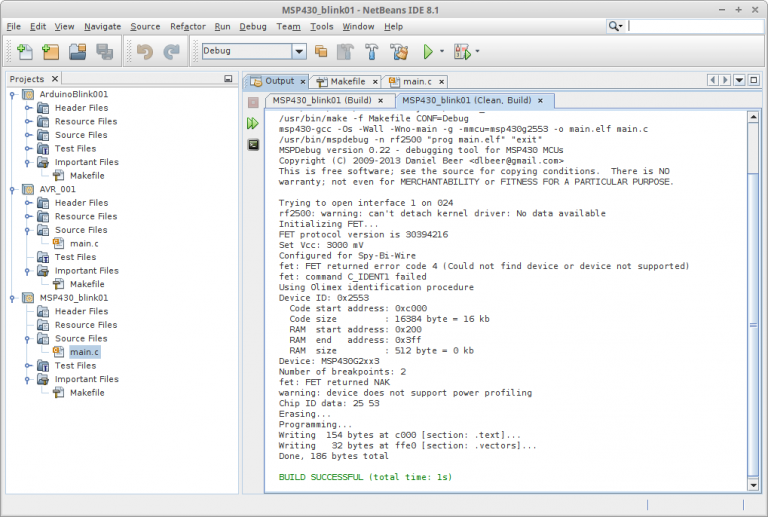 Gambar 3.
Makefile kedua merupakan modifikasi dari sumber ini untuk IDE Netbeans.
# Generic MSP430 Makefile
#
#######################################
# user configuration:
#######################################
# TARGET: name of the output file
TARGET = main
# MCU: part number to build for
MCU = msp430g2553
# SOURCES: list of input source files
SOURCES = main.c
# INCLUDES: list of includes, by default, use Includes directory
INCLUDES = -IInclude
# OUTDIR: directory to use for output
OUTDIR = buildc
# define flags
CFLAGS = -mmcu=$(MCU) -g -Os -Wall -Wunused $(INCLUDES)
ASFLAGS = -mmcu=$(MCU) -x assembler-with-cpp -Wa,-gstabs
LDFLAGS = -mmcu=$(MCU) -Wl,-Map=$(OUTDIR)/$(TARGET).map
#######################################
# end of user configuration
#######################################
#
#######################################
# binaries
#######################################
CC      = msp430-gcc
LD      = msp430-ld
AR      = msp430-ar
AS      = msp430-gcc
GASP    = msp430-gasp
NM      = msp430-nm
OBJCOPY = msp430-objcopy
MAKETXT = srec_cat
RM      = rm -f
MKDIR	= mkdir -p
#######################################
# file that includes all dependancies
DEPEND = $(SOURCES:.c=.d)
# list all object files
OBJECTS = $(addprefix $(OUTDIR)/,$(SOURCES:.c=.o))
# default: build all
all: $(OUTDIR)/$(TARGET).elf $(OUTDIR)/$(TARGET).hex $(OUTDIR)/$(TARGET).txt
$(OUTDIR)/$(TARGET).elf: $(OBJECTS)
	$(CC) $(OBJECTS) $(LDFLAGS) $(LIBS) -o $@
$(OUTDIR)/%.hex: $(OUTDIR)/%.elf
	$(OBJCOPY) -O ihex $< $@
$(OUTDIR)/%.txt: $(OUTDIR)/%.hex
	$(MAKETXT) -O $@ -TITXT $< -I
	unix2dos $(OUTDIR)/$(TARGET).txt
$(OUTDIR)/%.o: %.c | $(OUTDIR)
	$(CC) -c $(CFLAGS) -o $@ $<
	/usr/bin/mspdebug rf2500 "prog $(OUTDIR)/$(TARGET).elf"
%.lst: %.c
	$(CC) -c $(ASFLAGS) -Wa,-anlhd $< > $@
# create the output directory
$(OUTDIR):
	$(MKDIR) $(OUTDIR)
clean:
	-$(RM) $(OUTDIR)
	/usr/bin/mspdebug rf2500 "prog $(OUTDIR)/$(TARGET).elf"
Agar makefile di atas dapat bekerja dengan baik diperlukan beberapa program yang harus diinstalasi jika belum ada.
- UNIX2DOS (http://www.virtualhelp.me/linux/164-dos2unix-missing-ubuntu-1004) [sudo aptitude install tofrodos]
- srec_cat (srecord) (https://www.howtoinstall.co/en/ubuntu/utopic/srecord) [“sudo apt-get install srecord”]
Setidaknya ada dua contoh makefile yang hampir serupa dengan contoh di atas, bisa dilihat di daftar berikut:
[intense_emphasis color=”#223d57″ tag=”span”]
[/intense_emphasis]
Makefile ketiga lebih panjang daripada yang sebelumnya. Dimodifikasi dari sumber pada link ini.
#
# Makefile for msp430
#
# 'make' builds TARGET
# 'make clean' deletes everything except source files and Makefile
# 'make program' programs flash on msp430 with TARGET, then resets it.
# 'make reset' resets the msp430
# You need to set TARGET, MCU and SOURCES for your project.
# TARGET is the name of the executable file to be produced (.elf)
# eg if TARGET is foo.elf, then foo.elf will be produced, which can be programmed
#    into the msp430 flash by typing 'make program'
#
# If you want to see the assembler source from file foo.c, then use make foo.lst
TARGET   = main.elf
MCU      = msp430g2553
# List all the source files here
# eg if you have a source file foo.c then list it here
SOURCES = main.c
# Use lines like those below to include your own libraries, include files (if you have any).
# Changing a library won't cause a rebuild - use make clean then make.
# this will link libboard430.a (use LIBPATH to say where it is, and take care of the order):
#LIBS = -lcc2420 -lboard430
# paths to extra libraries and extra standard includes
#ROOTPATH = ../..
#LIBPATH = -L$(ROOTPATH)/lib
#INCLUDES = -I$(ROOTPATH)/include
# You probably don't need to change anything below this line.
#######################################################################################
CFLAGS   = -mmcu=$(MCU) -g -O3 -Wall -Wcast-align -Wcast-qual -Wimplicit \
	   -Wmissing-declarations -Wmissing-prototypes -Wnested-externs \
	   -Wpointer-arith -Wredundant-decls -Wreturn-type -Wshadow \
	   -Wstrict-prototypes -Wswitch -Wunused $(INCLUDES)
ASFLAGS  = -mmcu=$(MCU) -x assembler-with-cpp -Wa,-gstabs
LDFLAGS  = -mmcu=$(MCU) -Wl $(LIBPATH)
########################################################################################
CC       = msp430-gcc
LD       = msp430-ld
AR       = msp430-ar
AS       = msp430-gcc
GASP     = msp430-gasp
NM       = msp430-nm
OBJCOPY  = msp430-objcopy
RANLIB   = msp430-ranlib
STRIP    = msp430-strip
SIZE     = msp430-size
READELF  = msp430-readelf
CP       = cp -p
RM       = rm -f
MV       = mv
#Linux jtag program
JTAGPROG = jtag.py
#Windows jtag program
#JTAGPROG = msp430-jtag
PROGRAM  = $(JTAGPROG) -mEpv
RESET    = $(JTAGPROG) -r
########################################################################################
# the file which will include dependencies
DEPEND = $(TARGET:.elf=.d)
# all the object files
OBJECTS = $(SOURCES:.c=.o)
$(TARGET): $(OBJECTS) Makefile
	$(CC) $(OBJECTS) $(LDFLAGS) $(LIBS) -o $@
	/usr/bin/mspdebug -n rf2500 "prog $(TARGET)"
# rule for making assembler source listing, to see the code
%.lst : %.c
	$(CC) -c $(CFLAGS) -Wa,-anlhd $< > $@
# include the dependencies
-include $(DEPEND)
# dependencies file
# includes also considered, since some of these are our own
# (otherwise use -MM instead of -M)
$(DEPEND): $(SOURCES) Makefile
	$(CC) -M ${CFLAGS} $(SOURCES) >$@
.PHONY:	clean
clean:
	-$(RM) $(OBJECTS)
	-$(RM) $(TARGET)
	-$(RM) $(SOURCES:.c=.lst)
	-$(RM) $(DEPEND)
.PHONY: program
program: $(TARGET)
	$(PROGRAM) $(TARGET)
.PHONY: reset
reset:
	$(RESET)
Beberapa makefile serupa yang dapat dijadikan perbandingan:
- https://bitbucket.org/snippets/nielsenb/6Lrqx
- http://svn.nebarnix.com/sub/msp430/z-stack%20STK/makefile.uniarch
- https://github.com/zehortigoza/msp430-quadcopter/blob/master/Makefile
- http://thedestitutedeveloper.blogspot.co.id/2014/02/msp430f5529-launchpad-project0-on.html
- http://thedestitutedeveloper.blogspot.co.id/2014/07/msp430f5529-launchpad-project01.html
[intense_emphasis color=”#a8931c”]
Mencoba mempelajari makefile bukanlah hal yang sangat mudah. Ada beberapa sumber yang bisa dicoba untuk dipakai sebagai awalan untuk mempelajari make dan makefile, jika diperlukan. Saya urutkan sebagai berikut:
[/intense_emphasis]- Make and Makefiles
- Makefiles For Everyone
- http://www.linuxtopia.org/online_books/an_introduction_to_gcc/gccintro_16.html
- GNU Make in Detail for Beginners
- A Simple Makefile Tutorial
- http://www.cprogramming.com/tutorial/makefiles.html
- Guide: Makefiles
- Using make and writing Makefiles
- https://www3.ntu.edu.sg/home/ehchua/programming/cpp/gcc_make.html
- http://www.gribblelab.org/CBootcamp/12_Compiling_linking_Makefile_header_files.html
- Makefile for Embedded Programming
- Arduino and GCC, compiling and uploading programs using only makefiles
- http://arduino.stackexchange.com/questions/12114/basic-makefile-for-avr-gcc
- https://gist.github.com/zh/3972399
- http://hardwarefun.com/tutorials/compiling-arduino-sketches-using-makefile